

LangGraph is the primary framework integration in Idun Agent Platform. It supports full AG-UI streaming, CopilotKit, and persistent checkpointing through in-memory, SQLite, or PostgreSQL backends.Documentation Index
Fetch the complete documentation index at: https://docs.idunplatform.com/llms.txt
Use this file to discover all available pages before exploring further.
Create a LangGraph agent
- Manager UI
- Config file
The fastest path. Create the agent in the Manager, then connect your code.The Manager sets in-memory checkpointing by default. To switch to SQLite or PostgreSQL, see Memory.
Open the agent wizard
From the Agent Dashboard, click Create an agent. In step 1, enter a name and select LangGraph.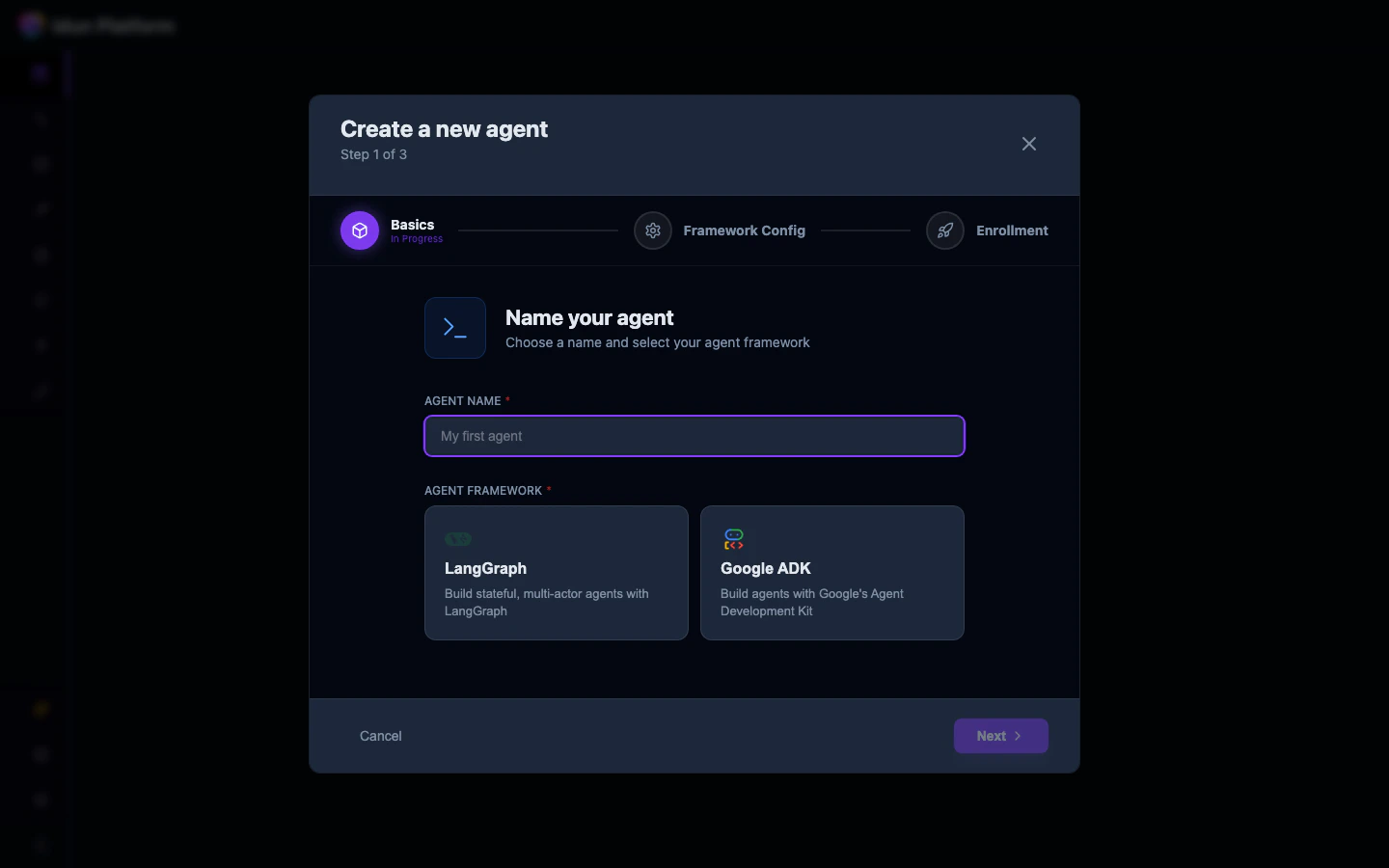
Configure the framework
In step 2, fill in:
-
Graph Definition: path to your graph file and variable, e.g.
./agent/graph.py:graph - Agent Host: Localhost (for local development) or Remote
-
Server Port: the port your agent will listen on
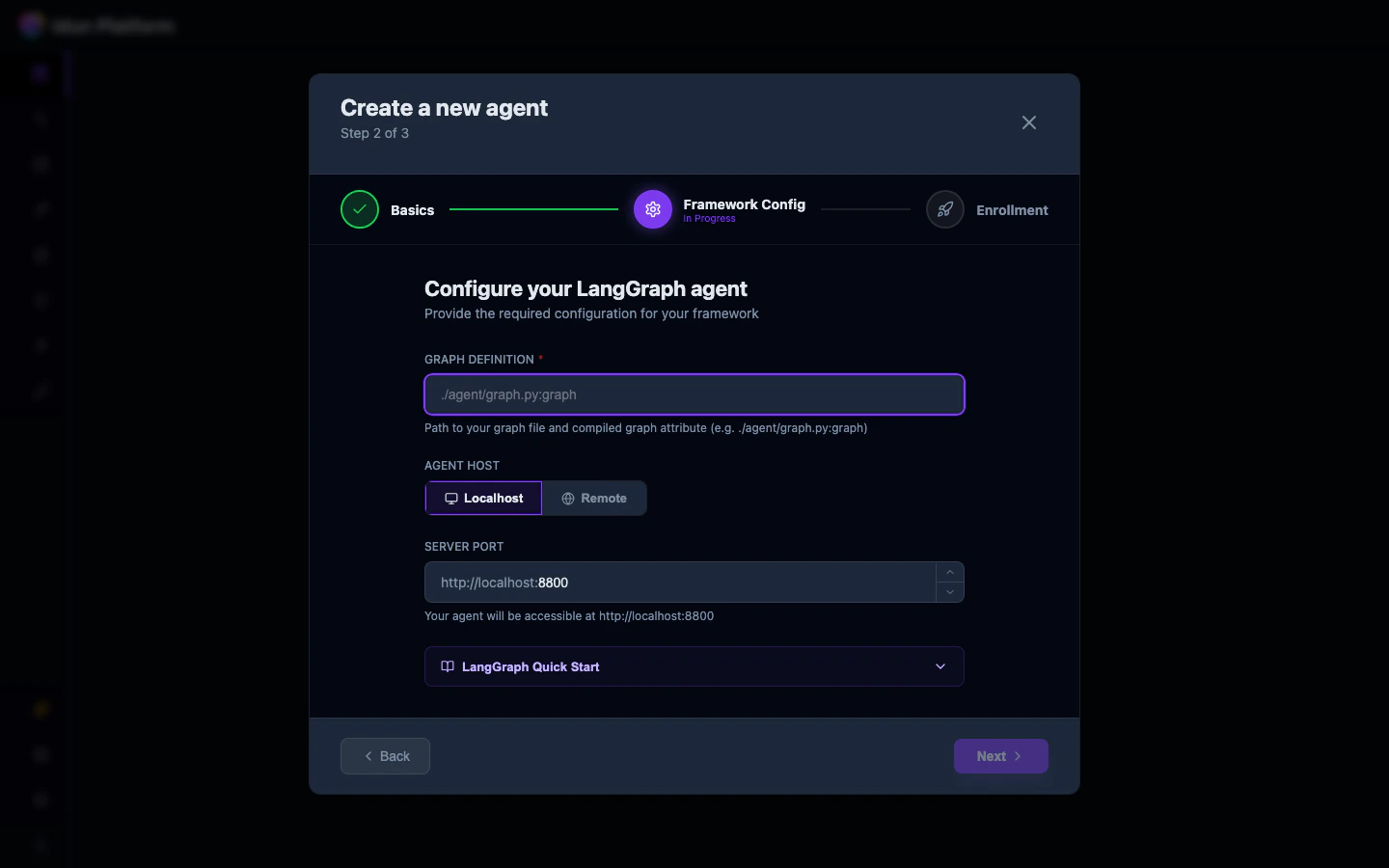
file_path:variable_name. The file path is relative to where you run the agent. The variable should be a StateGraph (the engine compiles it with the checkpointer). A CompiledStateGraph is also accepted but will be recompiled.Write your agent code
Create a file at the path matching yourgraph_definition:
my_agent/agent.py
Exporting an uncompiled
StateGraph is recommended. If you export a CompiledStateGraph (the result of .compile()), the engine will extract the original StateGraph via .builder and recompile it with the engine-managed checkpointer and store. Compile options like interrupt_before and interrupt_after are preserved. A warning is logged when this happens.The graph_definition field
The value follows the format file_path:variable_name:
- File path: relative path to the Python file (e.g.,
my_agent/agent.py) - Variable name: the
StateGraphvariable in that file (e.g.,graph)