

A singleDocumentation Index
Fetch the complete documentation index at: https://docs.idunplatform.com/llms.txt
Use this file to discover all available pages before exploring further.
EngineConfig controls every aspect of your agent service. Define it as a YAML file or fetch it from the manager API. The structure is identical in both cases.
Complete config example
${ENV_VAR} syntax for referencing environment variables at load time.
Config sections
server — HTTP server binding. Exposes api.port (default: 8000). CORS allows all origins. The engine adds Access-Control-Allow-Private-Network: true so hosted UIs can reach local agents.
agent — Framework type and framework-specific settings. The config fields change based on the type value. Supported types: LANGGRAPH, ADK. See the frameworks overview for per-framework config details.
For LangGraph, provide a StateGraph via graph_definition (path/to/file.py:variable_name). The engine compiles it with the configured checkpointer. A CompiledStateGraph is also accepted (the engine extracts .builder and recompiles).
observability — A list of providers, each with provider, enabled, and config. Multiple providers can be active simultaneously. Supported: LANGFUSE, PHOENIX, GCP_TRACE, GCP_LOGGING, LANGSMITH. See observability guides.
guardrails — Split into input (validated before invocation) and output (validated after). Uses Guardrails AI Hub guards, downloaded and run locally. Available guards: BAN_LIST, DETECT_PII, NSFW_TEXT, COMPETITION_CHECK, BIAS_CHECK, CORRECT_LANGUAGE, GIBBERISH_TEXT, TOXIC_LANGUAGE, RESTRICT_TO_TOPIC. See guardrails reference.
mcp_servers — Model Context Protocol servers that provide tools to your agent. Supports stdio, sse, streamable_http, and websocket transports. See tool governance.
prompts — Versioned prompt templates with Jinja2 variable support ({{ variable }}). Each entry has prompt_id, version, content, and tags.
sso — OIDC JWT validation on agent endpoints. When enabled, requests to /agent/run must include a valid token. Supports allowed_domains and allowed_emails filtering. See authentication overview.
integrations — Messaging platform connections. Each integration adds webhook endpoints to the engine. Supported: WHATSAPP, DISCORD.
checkpointer (inside agent.config for LangGraph) — Conversation memory. Types: memory (in-process), sqlite, postgres. For ADK, use session_service and memory_service instead. See memory guides.
Config sources
- Manager UI
- Config file
Open an agent and go to the Configuration tab. This shows the full materialized engine config that the agent receives from the platform when it connects.Toggle between JSON and YAML views. Use the Copy button to grab the config for local testing or debugging. Note that 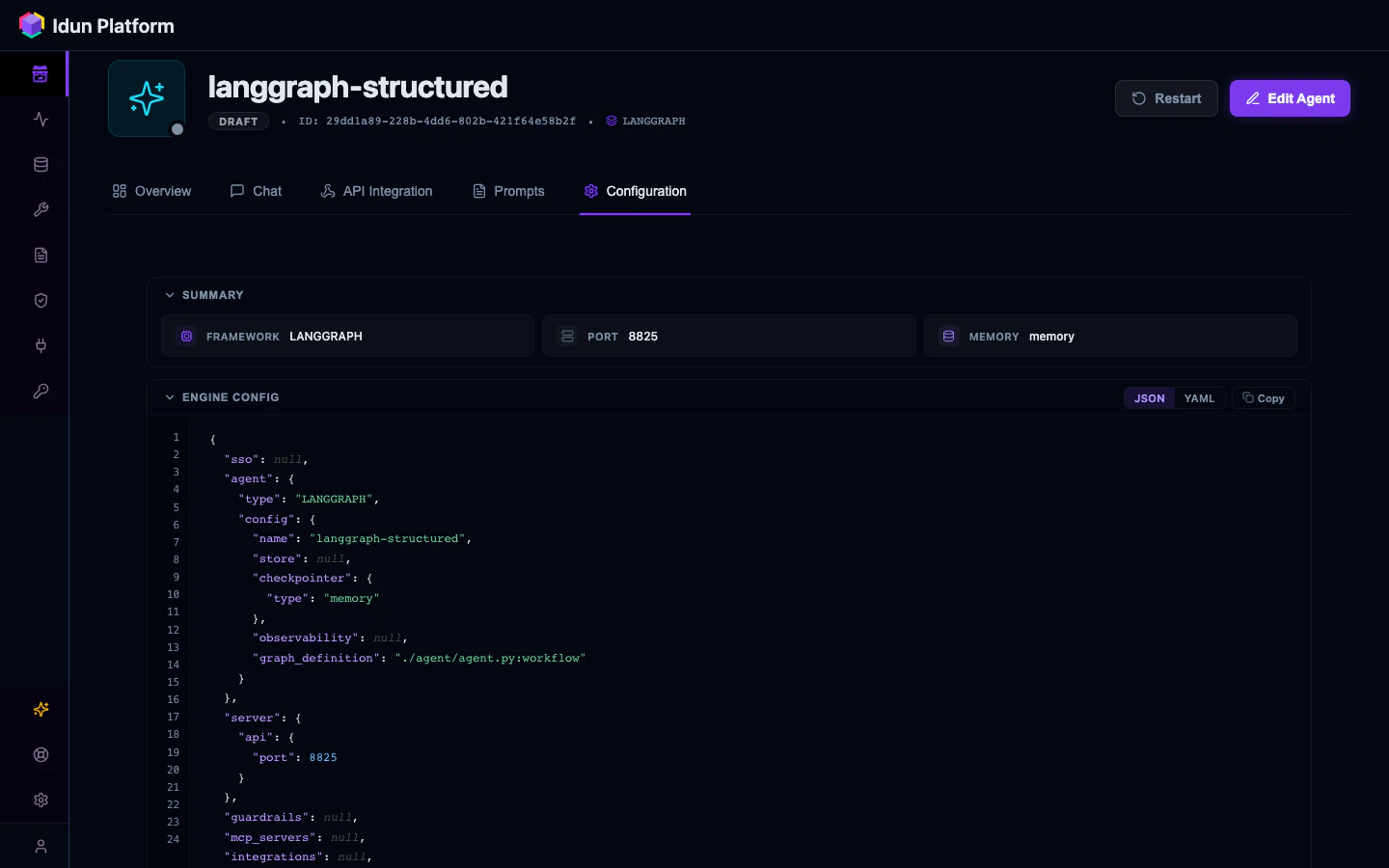
${ENV_VAR} references aren’t resolved here; the engine resolves them at load time.Environment variables
| Variable | Purpose |
|---|---|
IDUN_AGENT_API_KEY | API key for fetching config from the manager |
IDUN_MANAGER_HOST | Manager API base URL |
IDUN_CONFIG_PATH | Path to config.yaml (alternative to --path flag) |
IDUN_TELEMETRY_ENABLED | Set to false to disable anonymous usage telemetry |
${VAR_NAME} references in YAML values at config load time, so you can keep secrets out of your config files.